

Improve both your photo and video skills with K&F Concept’s Nano-X Series Drone Variable ND Filter Kit. (ND stands for Neutral Density)
Featuring ND2-32 and ND32-512 filters, it unveils the possibility of incredible photography and videography.
With these filters, it provides 1 to 9 stops of light reduction. Bringing beginners and pros the ability of capturing beautiful imagery in any lighting situation. Even capable of achieving long exposures.
This blog post will explore how these filters handle diverse lighting with a simple turn. Discover their reliability in providing vibrant colors and reducing glare for photos and videos.
K&F Concept’s optical glass protects your Mini 3 Pro’s lens, enhancing image quality on the ground and in the air.
Continue reading for this packed review with practical first hand info–the pros and cons–and tips for your drone photography and videography. This drone variable ND filter kit simplifies complex settings, catering to both photographers and videographers. Don’t miss out—grab this essential kit for exceptional aerial shots!
This post contains affiliate links. As an Amazon Associate, we earn from qualifying purchases. If you buy through one of our links, we may earn a small commission at no extra cost to you. Read our full disclosure policy.
Unboxing the drone Variable ND Filter Kit
K&F reached out for a video review in exchange for this product. We agreed and are writing a blog post review as well. We were needing some variable neutral density filters for our DJI Mini 3 Pro and thought this was a great option to test out and review.
Upon receiving the K&F Concept Drone Variable ND Filter Kit, the box is small and lightweight. Just like the DJI Mini 3 Pro drone.
The inclusion of both ND2-32 and ND32-512 filters caters to a wide range of lighting scenarios, offering flexibility to users with varying needs.
For example, if you are in an extremely sunny location at high noon and need to cut almost all light (ND512). Or on an overcast day and need to enhance some colors (ND2).
The drone variable ND filter kit comes in a nicely packaged plastic rugged box with a foam insert. Further protecting the filters. It appears well made and capable of withstanding its fare share of bumps and bruises.
The compact design and lightweight construction immediately speak to the drone-friendly nature of these filters.
Asthetically, the filters look nice and professional.
Build Quality and Materials of the drone variable ND filter kit
K&F Concept’s reputation for quality optics is upheld in the construction of this drone variable ND filter kit.
The imported AGC optical glass and multi-layer nano coating ensure that each filter not only reduces glare and flares but also preserves the actual color of the image. In theory–continue reading for how it reacts when switch into portrait mode.
The lightweight design, weighing in at only 1.5 grams, assures users that their drone’s gimbal won’t be adversely affected during flight. This is mostly true. See below for our first-hand testing.
Before placing a filter on the drone, a quick test of the “variable” twisting part of the lens feels smooth, yet durable.
One thing I would have liked to of seen in this drone variable ND filter kit is a more tactile response when turning the camera lens filter for knowing if I have switched from one stop of neutral density to the next.
Overall, great build quality. High end materials. And clean glass.
Purchase From Amazon.com

Drone Variable ND Filters Kit: A Closer Look
The key feature of this kit lies in its variable ND filters.
The ND2-32 filter provides a light reduction of 1 to 5 stops, catering to scenarios where mild adjustments are needed. For example on days when there is clouds in the sky and you need to enhance come colors and contrast.
On the other hand, the ND32-512 filter offers a more substantial 5 to 9 stops of light reduction, ideal for intense lighting conditions. For example, on days when the sun is high in the sky and then clouds become present.
This variability allows users to adapt on the fly, capturing the perfect shot in a diverse range of environments.
By having both drone variable ND filters kit on you at all times, you are sure to never be caught in a situation of too much light or too little light. And not being able to adjust/adapt.

Real-World Testing of the drone variable ND filters kit: Pros and Cons
To truly assess the effectiveness of these filters, we took them out for a spin in a diverse real-world scenario…
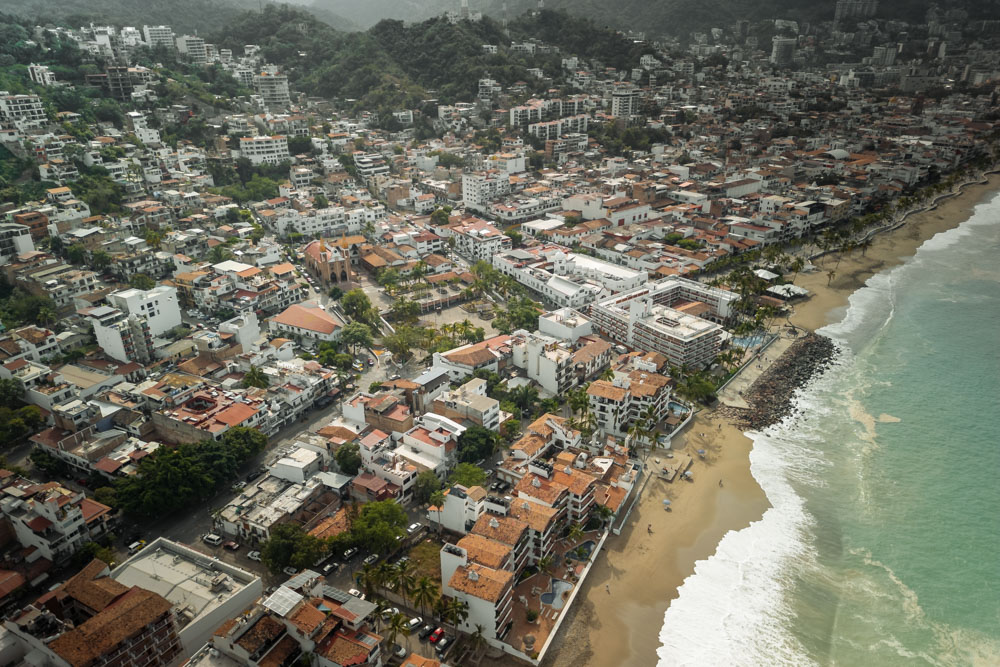
Because we received these filters during the winter in Oregon, we needed to go somewhere sunny, with chances for glare off the water, and somewhere with varying overcast weather conditions.
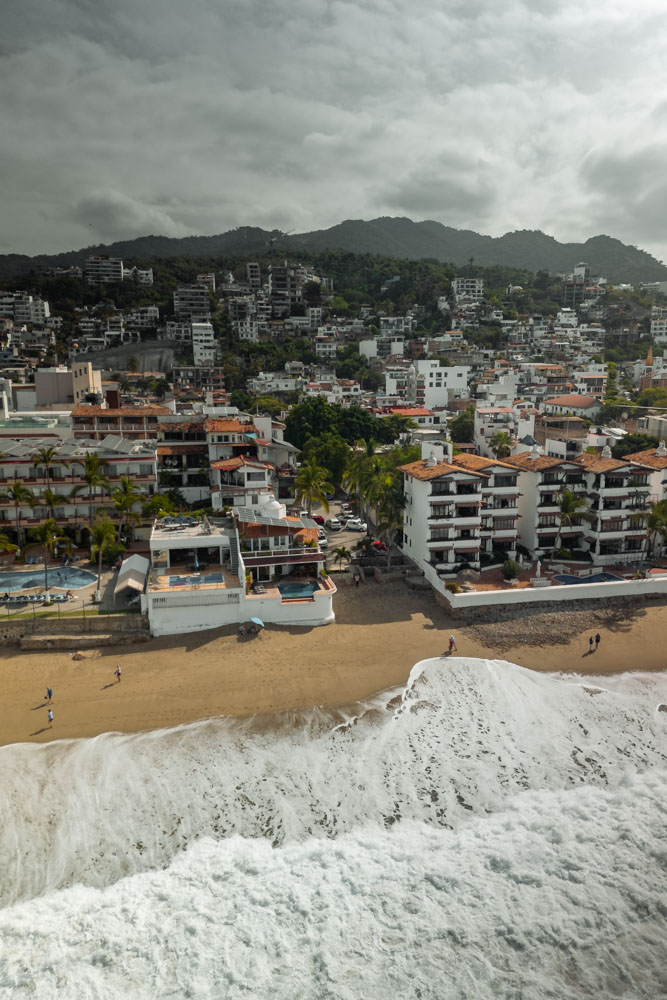
What better place could that have been than flying down to Puerto Vallarta Mexico?
From bright, sunny beaches to more challenging lighting, the K&F Concept Drone Variable ND Filter Kit showcased its mastery in providing consistent image quality*.
Our Personal Experience
Overall, the filters deliver. The quality and color retention are on point. And the overall user experience is top-notch.
We only have a few things to note.
Color Preservation
As described on both Amazon and in their product listing on their website, it claims the lenses preserve the actual color of the image.
However, in our test shots, we did notice some introduction of purple/magenta hues in the upper left-hand corner when shooting in vertical portrait mode on the drone.
Not every shot had this issue. Only when shooting at a 45˚ angle away from the sun. Only shooting straight on or more than 45˚did it not appear.
In the end, the color shift really didn’t phase me much. Because I edit every photo I ever take in Adobe Lightroom Classic, adding a wee graduated filter to the top left easily fit into my workflow.
Which ultimately doesn’t make it or break it for me with these filters.
Gimbal Issues
The gimbal had no issues adapting to the 1.5 gram drone variable ND filter weight.
Although that is true, we did see the drone had recognized the variable ND filter as a wide-angle lens and prevented the movement of the gimbal from left and right. Sorta annoying!
The only way of regaining this feature, that I could figure out, was turning off the obstacle avoidance feature. Which is quite concerning.
Maybe someone else has figured out a different override or solution to this issue?
First-hand Accounts from Others
Despite our experiences noted above, concerns were raised about the secure attachment of the filters to the DJI Mini 3 Pro, as highlighted in some user reviews we read about online.
The variable nature of the filters proved valuable between the shooting environments. However, some users who left reviews online found them challenging to take on and off, especially during a shoot.
This can be the difference between getting the shot and not.
Also, when battery power is one of the most vital components of your whole setup.
Possibly taking a few extra minutes or even seconds to dial in your drone variable ND filter kit on location can be everything.
Nonetheless, the drone variable ND filters kit proved itself as far superior to the stock clear casing lens attachment the DJI Mini 3 Pro comes with.
I can guarantee with a few practice test flights, your photos and video-taking process will be dialed in–granting you the ability to spend less time fiddling with your drone variable ND filter kit settings. And more time flying and shooting your best photography and videography!
User Reviews: Variety of Experience with the Drone Variable ND Filters
To provide a well-rounded perspective, we dove into user reviews around the internet.
Overall there was a positive opinion echoing the review of William C. who praised the filters for their effectiveness in sunny Florida conditions. Astrid A. and Yoly agreed, expressing their satisfaction with the drone variable ND filter kit.
However, Philsie’s experience cites issues with the filters securely attaching to the Mini 3 Pro. Which highlights potential compatibility concerns or possible user misuse that serious buyers should be aware of.
With our firsthand experience of installing and using these filters on the drone. We can say there is no problem (at least with the version sent to us) with the detaching and re-attaching of the drone variable ND filters.
We can say, however, that it did seem a little insecure the first time we took off the default protective cover.
Nonetheless, after a few times of doing this and flying, there has not been any issue so far.
In-Depth Analysis: Pros and Cons of the Drone Variable ND Filters Kit
As mentioned by Sojiro M. in a Vine Customer review, “the convenience of having a variable ND filter comes with trade-offs.”
While the K&F Concept ND Filter Kit offers a broad range of light reduction options, there were noticeable optical trade-offs.
In certain settings, the variable filters appeared darker than standalone filters, raising questions about calibration and optimal performance.
This issue isn’t a full-stop problem. It can easily be modified in the settings of your controller.
By modifying the shutter and ISO in manual mode. Or the EV in auto-exposure mode.
You can dial in the exposure you need on the fly when bringing the drone out of the air just to slightly adjust the ND on the filter. However, this does potentially give rise to a ‘noisier’ image if you need to brighten the image.
Obviously, if you need to do a drastic adjustment from 8 stops to 1 stop of light reduction. You will need to change filters and can only achieve this by flying it back to the home point.
Practical Tips and Suggestions for Optimal Usage
Our hands-on experience and researched user feedback led us to compile practical tips for optimal usage of the DJI Mini 3 Pro Drone Variable ND Filter Kit.
From ensuring a secure fit to navigating potential optical trade-offs, we offer insights to help users maximize the potential of this kit in their aerial images.
How to Install ND Filters on DJI Mini 3 Pro Drone
Hold the gimbal and camera securely with one hand and hold the face plate of the outer cover with the other hand/fingers.
Rotate the face plate counter-clockwise slightly until you feel the outer face click.
As soon as it clicks out of place, you know it is free and can install the drone variable ND filter from the kit in reverse order.
Place the ND filter slightly off axis to the left.
Once seeded, turn right in the clockwise direction until it clicks back into place.
That’s it, all done. You have successfully installed your drone variable ND filter from the K&F Concepts Kit.
How to Prevent Color Shifts in My Images
Try to always shoot in horizontal mode. If you really need to shoot vertically, which I get, I like that feature a lot in this DJI drone. You can just edit your photos.
Having a photo editor like Adobe Lightroom Classic is perfect for the fix.
How to Prevent the Gimbal From Recognizing the Filters as a Wide-Angle Lens
This appears to be a weight issue and can cause the drone to fly differently. i.e., the gimbal detects a certain weight and thinks it is a certain product type.
Because this is a third-party product. DJI can’t confirm exactly what it is. And because they think it is a wide-angle lens, you will be possibly flying with an altered view of reality, they are trying to protect you by not flying left or right.
Just turn off the obstacle avoidance and be very careful. We do not hold any responsibility for any crashes that may happen.
Do some further reading on this issue here.
How to and Why Use ND Filters
This is a subjective and artistic approach to figuring out how to use drone variable ND filters from a kit.
First and foremost, ND filters are used to reduce the amount of light that reaches the camera’s sensor.
Ultimately giving you the ability to have more control over the settings of your camera.
Simply put, the more available light the higher the ND value; less available light the lower the ND value.
If the lighting environment is extremely bright, full sun, at the highest part of the day; choosing ND 512 or 9 stops of light reduction will help you go from a shutter speed of 1/2,000 to maybe 1/60.
This is especially important when following the rule in videography of shooting at two times your frame rate. Giving you some motion blur and the most real-to-life look and feel.
However, in the world of photography, being able to use a filter that gives you 9 stops of light reduction yields photographic opportunities for long exposures.
Because the drone has stabilization and GPS, you can get some interesting shots in lighting environments that are already darker. You won’t be able to get a 30-second-long exposure photo, but 2 or 3 seconds isn’t unrealistic.
That’s the beauty of photography and videography. There is a certain artistic component that exists, which is so incredible.
Purchase From kfconcept.com
Purchase From Amazon.com
Drone Filter FAQs
Should I use an ND filter with a drone?
Yes, it’s crucial for optimal aerial photography and videos. ND filters control light, improving exposure and enabling creative effects in diverse conditions.
Do variable ND filters work?
Yes, variable ND filters work well by providing adjustable light reduction options. Rotating the filter allows users to adapt to changing light conditions without swapping filters, offering flexibility and convenience during drone flights.
Most common ND filter for drones?
The ND16 or ND32 filters are common choices, ideal for reducing light in bright conditions. They prevent overexposure and achieve balanced exposure for both photography and videography. Luckily with this filter kit, you have ND2-ND512!
Difference between ND filter and variable ND filter?
Standard ND filters have fixed light reductions like ND2, ND4, or ND8. Variable ND filters, indicated as a range (e.g., ND2-ND32), offer adjustable light reduction by rotating the filter, providing flexibility in varying conditions.
Final Thoughts on A Versatile Companion for Drone Owners
In conclusion, the DJI Mini 3 Pro Drone Variable ND Filter Kit by K&F Concept comes out as a versatile companion for aerial photography and videography.
While the variable nature of the filters being mounted inevitably on a drone presents some challenges, the benefits in adaptability and creativity outweigh the drawbacks for people looking for drone variable ND filters.
With careful consideration of compatibility and practical usage tips, this kit can unleash ultimate creativity for DJI Mini 3 Pro drone owners.
Whether you’re chasing the perfect sunset shot or navigating challenging videography lighting conditions, the Nano-X Series Variable ND Filter Kit is a valuable addition to your aerial toolbox.